WordPress Website Security
Table of Contents
▼▼▼▼▼
➥ What Is Website Security
➥ How To Secure a Website
➥ Website Maintenance
➥ Security Audits
➥ Website Checklist
➥ Security Solutions
If you run a WordPress website, security isn’t optional anymore. It doesn’t matter if your site is small, new, or “not important enough to be hacked.” Automated attacks don’t care who you are. They scan the internet for weaknesses, and if your site matches one, it gets hit.
To understand how to protect a WordPress site properly, you first need to understand the website security meaning beyond the usual scare tactics. Website security is not a single plugin, a one-time setup, or a checkbox you tick during launch. It’s an ongoing process that combines good decisions, regular maintenance, and awareness of how attacks actually happen.
What Website Security Means for WordPress
Website security, in practical terms, means protecting your site from unauthorised access, data loss, malware infections, spam abuse, and downtime. On WordPress, this protection spans multiple layers: your hosting environment, WordPress core, plugins, themes, user accounts, and even how you manage updates.
Most WordPress security issues don’t come from sophisticated hackers targeting you personally. They come from bots exploiting known vulnerabilities in outdated plugins or poorly configured sites. If your site hasn’t been maintained, it becomes an easy target simply because it’s visible.
Understanding this changes the mindset from fear to prevention. The goal isn’t to make your site “unhackable.” The goal is to remove obvious weaknesses so automated attacks move on to easier targets.
How to Secure Your Website Without Overcomplicating It
One of the biggest mistakes site owners make when learning how to secure their website is overengineering the solution. They install five security plugins, lock down everything, and still get hacked because the basics were ignored.
The most important security practice in WordPress is keeping everything up to date. WordPress core, plugins, and themes are constantly patched to fix vulnerabilities that have already been discovered. Running outdated software is essentially advertising that your site is exploitable.
Strong access control is just as critical. Weak passwords and shared admin accounts remain one of the most common entry points for attackers. Two-factor authentication alone can stop a huge percentage of successful attacks, yet many sites still don’t use it.
Security works best when it’s boring. If your setup is simple, current, and clean, most threats never become problems.
Why Website Security Maintenance Is Non-Negotiable
Website security maintenance is where most WordPress sites fail — not because it’s difficult, but because it’s easy to forget. A site can run perfectly for months or years while quietly becoming more vulnerable with every skipped update.
Maintenance means regularly checking that your site is still configured the way you think it is. Plugins get abandoned. Hosting environments change. PHP versions update. New users get added and forgotten. Any one of these can introduce risk.
A well-maintained WordPress site doesn’t need constant attention, but it does need routine check-ins. Even ten minutes a week can prevent issues that would otherwise turn into hours of cleanup later.
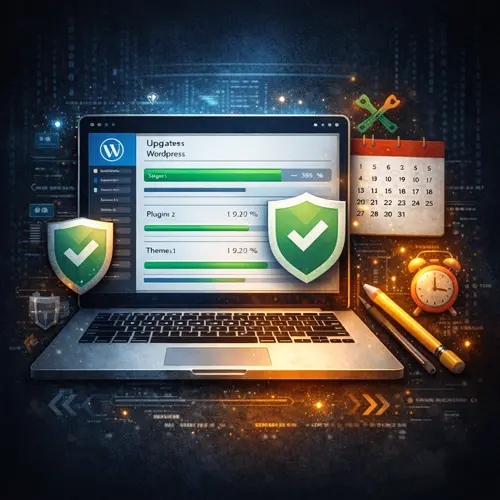
Website Security Audits: Catching Problems Early
A website security audit is not just for hacked sites. In fact, audits are most valuable when nothing appears to be wrong.
An audit looks at your WordPress site from the perspective of an attacker. It checks whether your core files are intact, whether plugins are introducing risk, whether user roles make sense, and whether your site is exposing information it shouldn’t. Many security issues sit unnoticed until something breaks, and by then the damage is already done.
For business websites, security audits should be done regularly, especially after migrations, major updates, or long periods without maintenance. They act as a reset button, ensuring your site hasn’t quietly drifted into unsafe territory.
Using a Website Security Checklist the Right Way
A website security checklist is useful, but only when it’s treated as a reference, not a replacement for understanding. Checking boxes without knowing why they matter often leads to false confidence.
The purpose of a checklist is consistency. It ensures that updates are applied, backups are running, and security measures haven’t been disabled over time. When paired with proper knowledge, a checklist helps you maintain security long after the initial setup is complete.
If your checklist never changes, that’s a red flag. Security evolves, and so should the way you review your site.
Common Website Security Issues and Real Solutions
Most WordPress security problems fall into a small number of predictable categories. Malware infections usually come from outdated or pirated plugins. Brute-force attacks succeed because of weak login protection. Data loss happens because backups weren’t tested.
The solution to these issues is rarely a single tool. It’s a combination of prevention, monitoring, and response. Clean backups matter as much as firewalls. Awareness matters as much as automation.
The sites that recover quickly from security issues aren’t the ones with the most plugins — they’re the ones that understood their setup before something went wrong.