
Just Who Owns the Internet?

Just Who Owns the Internet?

Just Who Owns the Internet?

Some connect to it, some surf it, and others are addicted to it. We use it to keep up-to-date and to stay connected. It has been referred to as the web. the 'net, and the world-wide-web. It, of course, is the internet. But just what is “it”? What are its components, what is it most often used for and just who, after all, owns the internet?

You may be in for some surprises.

Components of the Internet

The internet is an increasingly large network of wires and wireless systems that serve to connect a variety of devices that communicate with each other through a set of common language protocols. Today, it is actually a network of networks that are all interconnected in a web-like fashion.

The internet can be best described as a network but to be functional the network needs a language and hardware to make it useful.

There are, of course, wired and wireless aspects to the internet. You may have cable television that connects you to the internet or cell towers that accomplish wireless cellphone connectivity. Overseas connections may be accomplished through fiber optic cables running along the ocean floor or through satellite or radio transmissions.

Hardware is generally divided into clients or servers. Clients include hardware that makes use of data found on the internet like a desktop or laptop computer, cell phone or printer. Servers are devices that store information and software that allows this information to be shared among client devices.

The language of the internet is so critical in its functionality that it is generally accepted that it wasn't until Transmission Control Protocol (TCP) and Internet Protocol (IP) was created as the protocol suite, (TCP/IP) in 1982, that the internet was “born”. The Internet Society offers a more in-depth look at this history of the internet for those interested in pursuing more details.

Major Uses of the Internet

Recent statistics show that just over 25% of all communications on the internet are conducted in English. Chinese is second at about 20% with 8% of users speaking Spanish. China, with over 730 million online users, has the most internet users followed by India, with over 460 million users. As far as the United States is concerned, the country has 289 million online users, accounting for an almost 90% penetration rate. Worldwide, it is estimated there are over 3.5 billion internet users. What are all these people using the internet for?

If the world's most visited websites are any indication, the internet is mostly used to gather and share information. Google is the most often visited site on the planet followed by YouTube and Facebook. It is interesting to note that about 51% of all internet traffic in 2017 was performed by some form of “bot” while about 49% was from human activity.

Like previous media, advertising has found its place at home on the internet. Spending in 2017 on internet marketing exceeded that of television for the first time.

Who Owns the Internet?

What makes this such an interesting question is the answer may depend on why the question is being asked.

If it is being asked to determine who has control of the internet, “control” is most often a result of government regulations. In this case, governments control the internet in their own countries, usually based on how “free” that country may be. According to the non-profit group Freedom House, the five most restrictive countries regarding freedom on the internet include:

  • North Korea
  • Iran
  • Ethiopia
  • Cuba
  • China

North Korea has more of an intranet than internet with only a few dozens North Korean approved websites available on their edition of the 'net. Orangewebsite.com recently published an article on The Most Internet Restrictive Countries on the Planet.

While individual countries can regulate internet access and use, and they can even jail citizens for internet posts, they don't “own” the internet in the true sense. The reality is, the internet exists for the good of those who participate in its functionality. You may “own” your own section of the internet with your personal electronic devices but likely pay for access to the world wide web. You may pay for access to one of many large telecommunications companies who has invested in the “backbone” of the internet. These companies include giants like AT&T, Comcast Xfinity, Time Warner, Charter Communications, Verizon, and others. These are names that are seemingly constantly in the news regarding mergers and acquisitions as they position to combine themselves with content companies to provide more attractive “packages” for consumers.

On the server side, millions of companies pay to lease server space so their websites are reliably available to consumers and potential customers who may be interested in what these companies are offering. This is one of the functions that Orangewebsite.com plays in our role on the internet.

What is Orangewebsite.com's Role on the Internet?

When a large or small company wants to make an impression on the internet with a website, that website must be reliable and quickly accessible. It must offer conveniences consumers are comfortable with like secure payment systems and security in general. It needs to offer mobile capabilities and have a technologically adept team to keep servers and equipment running at peak performance at all times. It should always make available the latest software and add on's both clients and consumers expect. At Orangewebsite.com, we are committed to all of these and more. We provide “green”, environmentally friendly hosting in Iceland, a country with abundant renewable energy resources and a government commitment to a free, non-intrusive role on the internet.

If you are interested in co-location and hosting services, we invite you to learn more about us and our role in offering a more green, free internet. We invite you to contact us at Orangewebsite.com. The more you know about the internet, hosting, and the importance of the environmentally friendly use of technology, we think the more likely it is you will choose Orangewebsite.com.

Who Owns The Internet?

The Answer might just suprise you

Table of Contents

▼▼▼▼▼

What Is Eco Web Hosting?

Why It's Important?

Why Use Eco Hosting?

Benefits Of Eco Hosting

Making The Change

The Value Of Eco Hosting

People talk about “the internet” like it’s one giant thing you can point to — like a company, a building, or a single network that somebody must own. But the internet isn’t one thing. It’s more like a massive, interconnected ecosystem made up of physical infrastructure, shared technical rules, private companies, public institutions, and billions of users all interacting at once.

So… who owns the internet?
In the simplest, most accurate sense: no single person, company, or government owns the internet. What is owned are the pieces that make the internet work — cables, routers, data centers, servers, domain names, IP address allocations, platforms, and access networks — plus the rules and governance systems that keep everything interoperable.

Let’s break that down in a way that actually makes sense.

"You cannot get through a single day without having an impact on the world around you. What you do makes a difference, and you have to decide what kind of difference you want to make".

- Jane Goodall

What the Internet really is

The internet is best understood as a network of networks.

Your phone, PC, console, or smart TV is a client (it requests information).

Websites, apps, and services live on servers (they store and deliver information).

Those clients and servers talk to each other using shared “languages” called protocols. The most famous being TCP/IP, which is basically the foundation that allows networks worldwide to communicate in a consistent way.

The important point: the internet works because everybody agrees to use common standards. Without shared rules, you don’t get “the internet” — you get isolated networks that can’t talk to each other.

Why Eco Friendly Web Hosting Matters More Than Ever

Data centers consume a staggering amount of electricity globally, much of it still generated from fossil fuels. Every website, email, backup, and database query contributes to that demand.

Eco friendly web hosting directly addresses this problem by changing how hosting infrastructure is powered and managed. Instead of relying solely on conventional power grids, eco hosting providers invest in renewable energy sources and energy-efficient systems that drastically lower environmental impact.

For website owners, choosing eco hosting is one of the simplest ways to reduce their digital carbon footprint — without changing their website, content, or workflow.

The internet has two sides:

The internet has two sides, the physical side and the rules side. When people ask “who owns the internet,” they’re usually talking about one of these:

1) The physical internet (the stuff you can touch)

This includes:

Fiber optic cables (including undersea cables connecting continents)

Cell towers and wireless backhaul

Routers, switches, and internet exchange points (IXPs) that move traffic around

Data centers and server infrastructure

Last-mile networks owned by ISPs (the connection to homes and businesses)

This physical layer is mostly owned by private companies, sometimes partially by governments, and often through partnerships and joint ventures.

2) The governance internet (the stuff that keeps it organized)

This includes:

Technical standards (how devices communicate)

Domain name management (how names like example.com connect to servers)

IP address allocation (how devices and networks get unique addresses)

Policy and regulation (laws, censorship rules, telecom regulation, net neutrality policies, etc.)

This layer is handled by a mix of nonprofits, standards bodies, registries, and governments — and no single group has total control.

This physical layer is mostly owned by private companies, sometimes partially by governments, and often through partnerships and joint ventures.

So who owns the internet?

Nobody owns “the internet” as a whole

But many entities own and influence parts of it.

A good way to think about it is like roads and traffic:

No one owns “transportation.”

But someone owns the roads, someone sets the driving rules, companies own the cars, and governments can restrict where you can go.

Same deal here.

Who controls the internet depends on what you mean by “control”

This is where the question gets spicy, because “control” can mean different things.

If you mean who controls access

That’s mostly ISPs and telecoms.

If you pay for home internet, mobile data, or business connectivity, you’re buying access through a provider that controls things like:

connection quality and routing choices

bandwidth limits and throttling policies

service availability in your region

compliance with local laws (including blocks and takedowns)

Big-name telecoms don’t “own” the internet, but they absolutely own major chunks of the internet backbone and “last-mile” access — which is a powerful type of control.

If you mean who controls the rules

That’s shared between:

Standards organizations (they define how the internet functions technically)

Domain and numbering governance (the systems that prevent chaos)

National governments (they regulate what’s allowed within borders)

No one has a master switch, but plenty of groups can influence how the internet behaves.

If you mean who controls what you see

That’s largely platforms and services.

For most people, “the internet” feels like:

Google

YouTube

Facebook / Instagram

TikTok

X

Reddit

major news sites

app ecosystems

Those companies don’t own the internet either — but they shape attention, discovery, and speech at massive scale through ranking systems, moderation policies, and ad platforms.

Governments: they can’t own the internet, but they can box it in

Governments generally don’t own the global internet, but they can exert strong control inside their borders through:

filtering and blocking websites

pressuring ISPs to restrict access

forcing platform compliance

surveillance and data retention laws

criminal penalties tied to online speech

That’s why “who owns the internet” sometimes turns into “who controls online freedom.”

Some countries operate something closer to a heavily controlled internet, and a few effectively run a national intranet model where outside access is limited or tightly monitored.

(OrangeWebsite has also covered this topic in its article on the most internet restrictive countries, which is worth linking internally.)

The quiet “owners”: the organizations that keep the internet from falling apart

A lot of the internet’s stability comes from boring-but-critical coordination. This is one of the reasons the internet has historically been resilient: it’s distributed, it’s cooperative, and it’s built to route around problems.

Domain names and DNS

When you type a website name, DNS translates that name into an IP address so your device can find the server. The overall DNS ecosystem is global and distributed — and while parts of it are managed by organizations and registries, it’s not something a single company “owns.”

IP addresses

IP addresses must be unique across the global internet. Distribution is coordinated through regional internet registries (RIRs). This isn’t ownership in the traditional sense — it’s more like a controlled allocation system so the whole thing stays organized.

Internet standards

Protocols like TCP/IP, HTTP, TLS, and DNS depend on widely adopted standards. These standards exist because large parts of the internet community agree to follow them — not because one corporation enforces them.

    The biggest misconception: “Big Tech owns the internet”

    Big Tech companies own a lot — but not the entire internet.

    They may own or control:

    huge cloud infrastructure (hosting for countless websites/apps)

    content platforms that dominate attention

    ad networks that fund most free content online

    major undersea cables and private backbone networks

    DNS services, security layers, and analytics tooling

    That’s enormous influence — but even then, the internet still has:

    independent networks

    competing providers

    open protocols

    decentralized routing

    thousands of data center operators

    countless privately owned websites and servers

    So the more accurate truth is:

    Big Tech doesn’t own the internet — but it can heavily shape how the internet feels to most users.

    Where web hosting fits into “who owns the internet”

    Most businesses don’t run physical servers in a closet anymore (and honestly… good). They lease server space from hosting providers who maintain:

    data centers

    network connectivity

    hardware performance

    security layers

    backups and uptime monitoring

    Hosting providers don’t own the internet either — but they provide the infrastructure that powers a huge part of it.

    OrangeWebsite’s role in that ecosystem

    If your goal is to “own your presence” online in a meaningful way, reliable hosting matters. You want your site to be:

    fast

    stable

    secure

    accessible across regions

    supported by a provider that takes infrastructure seriously

    At OrangeWebsite, that mission is paired with a focus on Iceland-based hosting and renewable-energy-driven operations — which matters more than ever as the internet’s physical footprint grows alongside global demand for always-on services.

    (Internal link opportunity: environmentally friendly use of technology / green energy hosting pages.)

    FAQ: Who owns the internet? (Quick answers)

    Does ICANN own the internet?
    No. ICANN coordinates parts of the domain name system and related identifiers. That’s governance and coordination — not ownership of the internet itself.

    Do governments own the internet?
    Not globally. Governments can regulate and restrict access inside their borders, but they don’t own the internet as a whole.

    Do ISPs own the internet?
    They don’t own the entire internet, but they often own key infrastructure (especially last-mile access) and can strongly influence connectivity.

    Does anyone own the internet backbone?
    Pieces of it are owned by various telecoms, consortia, and infrastructure companies. There isn’t one backbone owner — it’s a patchwork of interconnections.

    So… who owns the internet?
    No one owns the entire thing. The internet is shared infrastructure made up of privately owned parts, coordinated standards, and country-level regulation.

    Final thoughts: the internet is shared — and that’s the point

    The internet was never designed to be “owned” like a single product. It was designed to connect networks, route around failure, and keep working even when parts go offline. That distributed nature is a big part of why it became so powerful.

    So if you’re asking “who owns the internet” because you’re thinking about freedom, privacy, access, censorship, or where your website lives — you’re asking the right question.

    The real answer is less about ownership and more about influence:
    who owns the wires, who sets the rules, who controls the platforms, and who hosts the services people rely on every day.

    How to Improve Your SEO

    How to Improve Your SEO

    How to improve your seo in 2026

    "SEO in 2026 is less about “gaming Google” and more about becoming the page that deserves to be shown first."

    Search engines are better at detecting fluff, users are quicker to bounce, and AI-driven summaries mean you’re competing not only for rankings, but for being the source that gets referenced and trusted. If you want to improve your SEO now, the goal is simple: make your site easy to crawl, make your pages the best answer, and make your brand feel credible enough that people (and other sites) want to cite you.

    This guide is written as a practical walkthrough. You’ll get a clear plan, a few fast wins you can apply today, and a 30-day roadmap you can repeat every month to keep compounding results.

    Quick wins to start: tighten titles for higher CTR, improve internal linking to your best pages, refresh content that already has impressions.
    Technical fixes to make: fix indexability, clean up broken links, reduce speed/UX friction on mobile.
    Long-term growth strategy: build topic clusters, publish “reference-worthy” content, and earn links naturally.

    What Is a 503 Error?

    At a glance

    If you only have one hour this week, focus on what’s already close to winning. In most cases, that means improving pages that already show up in Search Console and are hovering just outside the top results.

    • Best quick win: improve CTR on pages that already get impressions
    • Best long-term win: topic clusters + internal linking
    • Most common mistake: publishing random posts that don’t match search intent
    • Tools you’ll use: Google Search Console, analytics, and a speed test tool
    What Is A 503 Error

    Step 1: Start with a baseline (15 minutes)

    Before you change anything, you need a quick snapshot of where you are right now. Otherwise, it’s too easy to “do SEO” for weeks and not know what actually helped.

    Open Google Search Console and look at the last 28 days. Find pages that get impressions but have a low click-through rate, and pages that sit in positions 8–20. Those are your easiest wins because Google is already testing you for those queries. You’re not starting from zero — you just need to make your result more clickable and your content more satisfying.

    Then open your analytics and look at your top organic landing pages. If a page gets traffic but people leave quickly, it’s usually not a ranking problem — it’s a content experience problem. That tells you exactly where to focus.

    Do this now:

    • Pick 5 pages that already get impressions in Search Console

    • Note their top queries, CTR, and average position

    • Mark any pages with good impressions but low CTR (title/meta wins)

    • Mark any pages stuck around positions 8–20 (content/internal link wins)

    Common mistake: people start by writing new content, but the fastest improvements usually come from upgrading what’s already getting visibility.

    Step 2: Fix technical SEO issues (30–60 minutes)

    Technical SEO isn’t about doing something fancy. It’s about removing the invisible problems that stop your best content from competing. If Google can’t crawl your pages properly, or if your site is slow and frustrating on mobile, you’re fighting with one hand tied behind your back.

    Start with indexability. A surprising number of pages don’t rank simply because they’re blocked, set to noindex, or canonicalized incorrectly. After that, clean up basic site hygiene: broken links, messy redirects, duplicate pages, and inconsistent URL structures.

    Then focus on speed and usability. Your site doesn’t need to be perfect, but it does need to feel fast and stable. If a page takes too long to load or jumps around as it loads, users leave — and over time, that damages performance.

    Quick fixes vs deep fixes

    Quick fixes (today):

    • Check for accidental noindex tags on important pages
    • Make sure your important pages aren’t blocked in robots.txt
    • Fix obvious broken internal links
    • Remove redirect chains where possible

    Deep fixes (this month):

    • Improve site speed and stability (especially on mobile)
    • Reduce heavy scripts/plugins that slow pages down
    • Fix duplicate content and canonical issues
    • Audit crawl paths so important pages aren’t buried

    Mini example: if your homepage canonical accidentally points to a shop category page (or vice versa), Google can treat the “wrong” page as the main one. That’s the kind of tiny technical issue that creates massive ranking weirdness.

    Step 3: Upgrade on-page SEO by matching intent.

    The keyword “how to improve your seo” has simple intent: people want a plan they can follow. That means your page needs to behave like a guide, not a glossary.

    In 2026, a page wins when it makes the reader feel understood fast. The first few seconds matter. Your intro should confirm what the reader wants, explain what they’ll achieve, and show the structure of the solution.

    From there, headings should act like signposts. Each section should answer a real question and move the reader forward. If you’re repeating yourself, you’re losing them.

    Do this now:

    • Rewrite the intro to be clear, helpful, and specific
    • Add headings that reflect the steps a real person would take
    • Add a short “at a glance” summary near the top
    • Improve readability: short paragraphs, clear transitions, visual breaks

    Common mistake: writing “SEO tips” that sound correct but don’t actually help someone do anything.

    What Causes A 503 Error

    Step 4: Improve internal linking (30 minutes)

    Internal linking is one of the easiest ranking levers because it’s completely in your control. It helps search engines understand which pages matter most, and it helps users naturally find the next step in their journey.

    The key is to link like a helpful human, not like a robot. Link where the reader would genuinely benefit from going deeper. Use anchor text that makes sense. Don’t hide your best pages.

    If you have pages that matter to your business — service pages, category pages, key guides — those pages should receive internal links from related posts. If they don’t, they’re weaker than they need to be.

    Do this now:

    • Add 5–10 internal links to each priority page from relevant articles
    • Add links from your priority pages out to supporting pages
    • Make sure no important page is an “orphan” with no internal links pointing to it

    Mini example (good anchor): “technical SEO checklist”
    Mini example (bad anchor): “click here”

    How To Prevent A 503 Error

    Step 5: Refresh content that’s already ranking (60–120 minutes)

    If your site is older than a few months, chances are your best SEO wins are sitting in your existing content. Pages that already have impressions are already in the game — they just need to become the better answer.

    A good refresh isn’t “change the date to 2026.” It’s adding what’s missing, removing fluff, improving clarity, and making the page more useful than competitors. Often, that means adding practical sections like examples, templates, checklists, and better internal links.

    When you refresh content, you’re also sending a strong signal that your site is maintained and current. That matters more in competitive topics where outdated advice is everywhere.

    Do this now:

    • Choose 3 pages with impressions and improve them aggressively
    • Add missing sections that match what users actually need
    • Improve titles/meta to increase CTR
    • Add internal links to and from relevant pages

    Common mistake: rewriting everything. Most pages don’t need a full rewrite — they need smarter structure and missing value.

    Stop 503 Errors Before They Start

    If you’re tired of unexplained downtime, recurring server errors, or hosting environments that fail under pressure, it’s time to upgrade.

    Orange Website offers reliable, privacy-focused hosting built for websites that need to stay online — not apologize for being unavailable.

    👉 Join Orange Website today and host your site on infrastructure designed for stability, performance, and peace of mind.

    Step 6: Build authority and earn links (ongoing)

    If you want consistent growth, you need authority. Authority isn’t just backlinks — it’s being the kind of site people trust enough to reference.

    In 2026, the easiest way to earn links is to create “reference-worthy” content. These are pages people cite because it saves them time or makes their own content better. Think templates, clear comparisons, original visuals, tools, and definitive guides that are updated.

    Outreach can work too, but it works best when you’re genuinely helping another site improve their page. If your content is the best resource for a specific subtopic, you’re offering value, not begging.

    Do this now:

    Create one “linkable asset” page (template, definitive guide, comparison)

    Add original visuals that other writers would want to cite

    Update it regularly so it stays relevant

    Step 7: Track the right SEO metrics (15 minutes weekly)

    SEO improves when you measure the right things consistently. Rankings are useful, but they’re not the full story. You want to track impressions, clicks, CTR, and average position in Search Console for your priority pages and queries.

    You also want to watch engagement: whether visitors stay, scroll, and click deeper into your site. If a page ranks but doesn’t satisfy, it’s unstable. If a page satisfies and keeps people moving, it usually grows.

    A simple weekly habit is enough: check your priority pages, note what moved, and keep upgrading the pages with the most potential.

    30-Day SEO action plan

    Misconfigured Server Software

    Incorrect configurations in:

    • Apache or Nginx
    • PHP-FPM
    • Load balancers
    • Firewall rules

    can prevent the server from properly responding to requests, triggering a 503 error.

    Exhausted Server Resources

    If your hosting account hits limits on:

    • CPU usage
    • RAM
    • Concurrent processes

    the server may stop accepting new connections altogether.

    External Service Failures

    Many websites rely on third-party services such as:

    • APIs
    • Payment gateways
    • CDN providers

    If one of these services fails and your website depends on it, the server may return a 503 error instead of loading broken content.

    Week 1: Baseline + quick wins

    Pick 5 pages with impressions, improve titles/meta for CTR, fix obvious on-page clarity issues, and add internal links.

    Week 2: Technical SEO + site hygiene

    Check indexability, fix broken links, clean up redirects, ensure sitemap is clean, and address the most obvious speed pain points.

    Week 3: Refresh key content

    Upgrade the content on your priority pages. Add missing sections, examples, better structure, and visuals.

    Week 4: Expand with supporting content

    Publish 2–4 supporting articles that strengthen your topic cluster and link them properly. Track performance and repeat.

    Frequently asked questions

    Frequently asked questions
    How long does SEO take in 2026?

    Most sites see early movement within weeks if they focus on pages that already have impressions. Bigger shifts usually take a few months because search engines need time to reassess your site and users need time to engage with the improved content.

    Should I update old content or write new content?

    If you already have pages with impressions, update those first. Refreshing existing content often wins faster than publishing from scratch because the page already has history and visibility.

    Are backlinks still important?

    Yes, but they’re not the only lever. Internal linking, content quality, and user satisfaction matter more than ever. Links help most when they point to genuinely strong pages.

    Does AI content hurt SEO?

    AI content isn’t automatically bad, but generic content is. If your page feels interchangeable, it’s weak. Add real experience, clear structure, and unique value so it’s not just a rewrite of what already exists.

    Final thoughts

    If you want to improve your SEO in 2026, the winning strategy is consistent upgrades, not one-time “optimizations.” Start with pages that already have visibility, fix technical friction, match intent with better structure, strengthen internal links, and publish content that’s actually worth referencing. Do that for 30 days and you’ll stop relying on luck — SEO becomes a system.

    Offshore Web Hosting

    Offshore Web Hosting

    Offshore Hosting DMCA Ignored

    What It Really Means and Why Website Owners Choose It

    Offshore hosting has moved from a niche solution to a practical infrastructure choice for many website owners. As copyright enforcement becomes faster, more automated, and increasingly abused, traditional hosting environments are no longer as stable as they once were. This shift has brought renewed attention to offshore hosting DMCA ignored, a term that is often misunderstood but highly relevant in today’s online landscape.

    At its core, offshore hosting is not about avoiding responsibility or operating outside the law. It is about choosing which legal framework governs your website, how complaints are handled, and how much control you retain when disputes arise.

    Understanding Offshore Hosting in Practice

    Offshore hosting simply means that your website is hosted in a country other than your own, under that country’s laws and regulations. This immediately changes how legal requests, copyright complaints, and data access demands are handled.

    Many offshore hosting providers operate in jurisdictions that:

    Have stronger privacy protections

    Do not automatically enforce foreign copyright laws

    Require proper legal process before acting on complaints

    This jurisdictional separation is the foundation of offshore hosting’s appeal. It introduces distance — legally and procedurally — between your website and aggressive enforcement mechanisms common in countries like the United States.

    What “DMCA Ignored” Actually Refers To

    The phrase DMCA ignored is shorthand, not a literal promise. The DMCA (Digital Millennium Copyright Act) is a United States law. Hosting providers outside the US are not legally required to comply with DMCA takedown notices unless local law obliges them to do so.

    In practice, this means offshore DMCA-ignored hosting providers typically:

    Do not act on automated or informal DMCA emails

    Require valid legal documentation under local law

    Follow court orders issued in their own jurisdiction

    Copyright complaints are not dismissed outright — they are handled through proper legal channels instead of instant takedowns. This distinction is critical.

    Why Offshore Hosting Exists at All

    Modern copyright enforcement is largely automated. While this increases speed, it also increases error rates and abuse. Website owners increasingly face situations where content is removed without context, review, or verification.

    Offshore hosting exists because many site operators need protection from:

    False or malicious DMCA claims

    Competitor-driven takedown abuse

    Automated copyright bots

    Blanket suspensions without investigation

    Offshore hosting slows the process down just enough for facts to matter.

    Key Benefits of Offshore Hosting DMCA Ignored

    Beyond copyright handling, offshore hosting offers a number of practical advantages that appeal to businesses, publishers, and platform owners alike.

    Greater Anonymity and Privacy

    One of the most cited benefits of offshore hosting is increased privacy. Many offshore jurisdictions enforce strict data protection laws and limit how easily personal or corporate information can be accessed.

    This can mean:

    Less exposure of ownership details

    Reduced data sharing with foreign authorities

    Stronger protections against third-party requests

    For privacy-conscious website owners, this alone can be a deciding factor.

    Protection Against Arbitrary Takedowns

    Traditional hosting providers often act first and ask questions later. Offshore DMCA-ignored hosting shifts that balance.

    Instead of instant content removal, providers typically:

    Review complaints manually

    Require proper legal standing

    Allow time for clarification or response

    This protects lawful content from being taken offline due to bad faith or automated claims.

    More Freedom Over Content and Expression

    Offshore hosting does not mean “anything goes,” but it does provide greater tolerance for content that is controversial, sensitive, or frequently targeted — even when it is legal.

    This is particularly valuable for:

    User-generated content platforms

    Media archives and forums

    Journalistic or investigative projects

    Websites operating in legally complex niches

    Freedom here is not lawlessness — it is proportional enforcement.

    Jurisdictional Independence

    By hosting offshore, your website is governed primarily by the laws of the hosting country, not by foreign statutes applied indirectly through hosting providers.

    This jurisdictional independence:

    Reduces exposure to foreign legal pressure

    Prevents automatic enforcement of external laws

    Ensures disputes are handled locally

    In an increasingly global internet, this separation matters more than ever.

    Increased Stability for Long-Term Projects

    For many site owners, offshore hosting is ultimately about reliability. Repeated takedowns, suspensions, or threats can cripple long-term projects even when no laws are broken.

    Offshore hosting provides:

    More predictable enforcement

    Fewer sudden service interruptions

    Better continuity for growing platforms

    Stability is often the most overlooked benefit — until it’s gone.

    What Offshore Hosting Does Not Protect

    It’s important to be clear about limitations. Legitimate offshore hosting providers do not protect criminal activity.

    Content that is universally illegal — such as fraud, malware distribution, or child exploitation material — is not tolerated. Court orders issued in the host country still apply and are enforced.

    Offshore hosting protects against jurisdictional abuse, not legitimate law enforcement.

    Offshore Hosting vs Traditional Hosting

    Traditional hosting environments prioritize compliance speed and risk avoidance. Offshore hosting prioritizes legal process and jurisdictional accuracy.

    That difference affects:

    How abuse complaints are handled

    How quickly content is removed

    How much control website owners retain

    Neither model is inherently “better” — they serve different needs.

    Is Offshore Hosting DMCA Ignored Right for You?

    Offshore hosting is not necessary for every website. For many small or low-risk projects, traditional hosting works perfectly well.

    However, offshore hosting becomes worth considering if:

    You have experienced false or repeated DMCA claims

    Your site relies heavily on user-generated content

    Content removals could seriously harm your business

    Privacy and jurisdiction matter to your operation

    In those cases, offshore hosting is less about avoidance and more about resilience.

    Final Thoughts

    Offshore hosting DMCA ignored is often framed as controversial, but in reality, it is a practical response to an increasingly automated and imperfect enforcement landscape.

    By choosing a hosting jurisdiction that values due process, privacy, and legal clarity, website owners gain greater control over their infrastructure and fewer surprises when disputes arise.

    For many modern websites, offshore hosting is not an extreme choice — it is a measured one.

    Benefits of Offshore Web Hosting

    Every website must be hosted. And there are a myriad of ways to do this. There is cloud hosting services and virtual private servers and dedicated hosting services and on and on. The choices for how an individual or organization wants their website hosted are nearly endless. And it is because of all of these options that many get lost in the differences. To begin to get a comprehensive understanding of all the options, it is good to start with just one: Offshore web hosting. This type of hosting allows individuals and organizations to host their site in a different country than they or their business are in. There are several reasons that this type of hosting can be advantageous:

    1. Cost

    Offshore web hosting can save companies money for various reasons. One of the big ones is that some countries have more motivating taxation policies than others. While this is not always the case, depending on what country the company is in and what country they want to host in, often times there are several offshore web hosts that can provide some sort of financial break when it comes to taxes.

    Additionally, many times offshore web hosting costs less. This is especially true for companies that are in the United States. Many European web hosts charge less for space in their server than their American counterparts. One of the reasons that offshore web hosting in places like Iceland can cost less is because they will not charge extra for any desired customization. In other words, companies will have a wider range of hardware selections with offshore hosting providers and, while they do provide the equivalent basic hosting packages that companies will find in their own countries, they are often happy to customize a hardware configuration that best suits a business’ needs. In the end, this means that companies get a lower price yet better quality.

    2. Anonymity

    Not every organization or individual feels that they need this, but in a time where invasive surveillance is more prevalent than ever, a little anonymity can not be a bad thing. And this is what offshore web hosting provides. Data is both more confidential and generally safer. Offshore web hosting is known to help prevent identity theft, as well as provide a layer of identity protection. Not only is this important for every single individual and organization, in an effort to protect against financial damage, but for those who would like to share information with the world that could upset a government, a company, or a powerful individual, this type of protection is a necessity.

    3. Freedom

    Not only does increased anonymity through offshore web hosting allow individuals and organizations to feel more free to share what they need and want to share, but there is generally more tangible freedom with offshore web hosting. Local web hosting providers can block a website if the content is not seen as acceptable by the government—there is also the potential that power or money could come into play with blocking a website. This can all be avoided by simply opting for offshore web hosting, where the company’s or individual’s home country has no say in the content that is hosted on foreign soil.

    4. Reliability

    Another consideration that should go into choosing a web hosting provider is where the server is located. It may be best for organizations to stay away from deals with web hosting providers that are stationed in areas with high rates of natural disasters. Floods, tornadoes, earthquakes and other similar forces of nature have the potential to bring servers down and a total loss of data can occur. And when it comes to organizations that are located in these areas themselves, they may want to consider going with an offshore web hosting provider in a safe area who could be a reliable backup in case important material is lost.

    6. Load Time And Customer Preferences

    Another important consideration is what your customers or website visitors would prefer. It is essential for companies to consider what location they are trying to reach. If they are located in the United States but have a large customer base in Europe—or vice versa—they may want to consider relying on an offshore web hosting provider somewhere in between, such as Iceland. This will allow the company to seem closer to where they are trying to sell to. Not only will the load time be faster, but people tend to prefer making purchases closer to where they are getting their items shipped—there is a sense that the shipping process will be safer, faster and more secure.

    And back to website load time, this is important. The most obvious reason for its importance is that customers get annoyed when they have to wait too long for a website to load what they are looking for. If it takes too long, they will just move on to another site. But there is also the weight that a website’s load time has on Google’s algorithm. The search engine’s algorithm is beginning to have a better and better understanding of how to create the most relevant and useful results and because it knows that users care about how well a website functions, load time effects Google rankings. The faster your website loads, the higher it will be ranked on people’s queries and searches. Therefore, being a little bit closer to your target market can only help this ranking.

    For more information about how offshore web hosting works, please contact us.

    What is a 503 Error?

    What is a 503 Error?

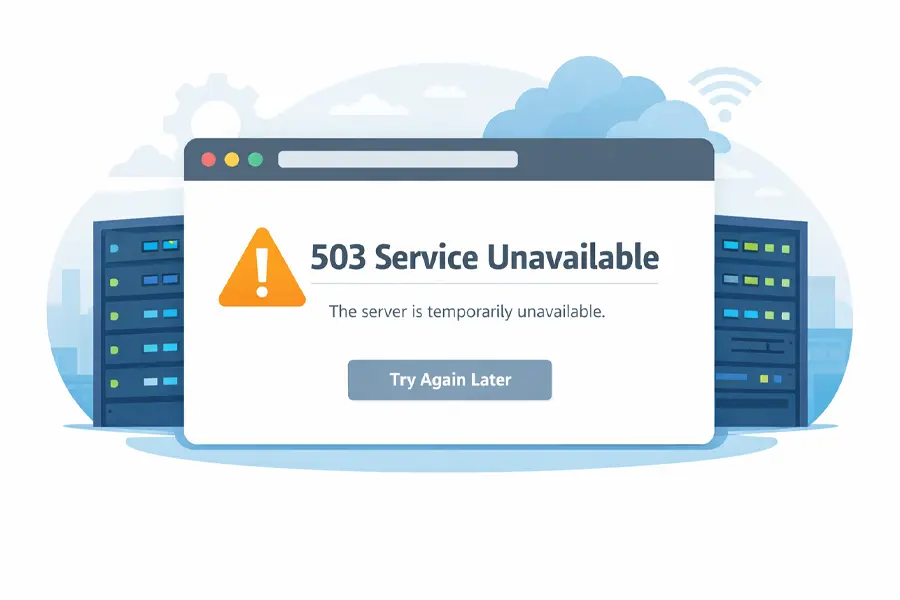
    What Is A 503 Error?

    If you’ve ever tried to visit a website and been met with the message “503 Service Unavailable”, you’re not alone. A 503 error is one of the most common — and most frustrating — server errors on the internet. For website owners, it can mean lost visitors, lost revenue, and damaged trust. For users, it’s simply a dead end.

    In this guide, we’ll explain what a 503 error is, why it happens, how to fix it, and — most importantly — how to prevent it from happening again. This article is written by Orange Website, with a focus on real-world hosting environments and practical solutions.

    What Is a 503 Error?

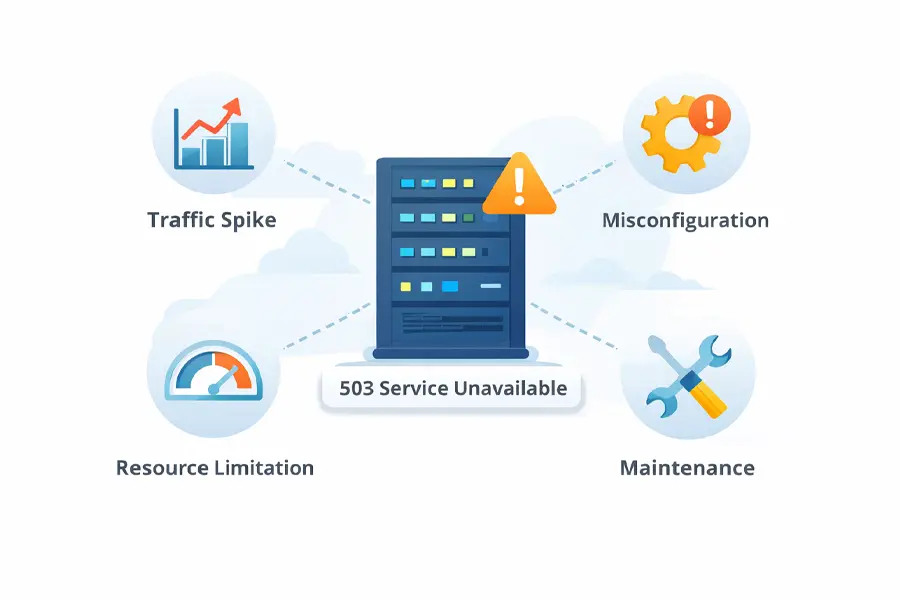
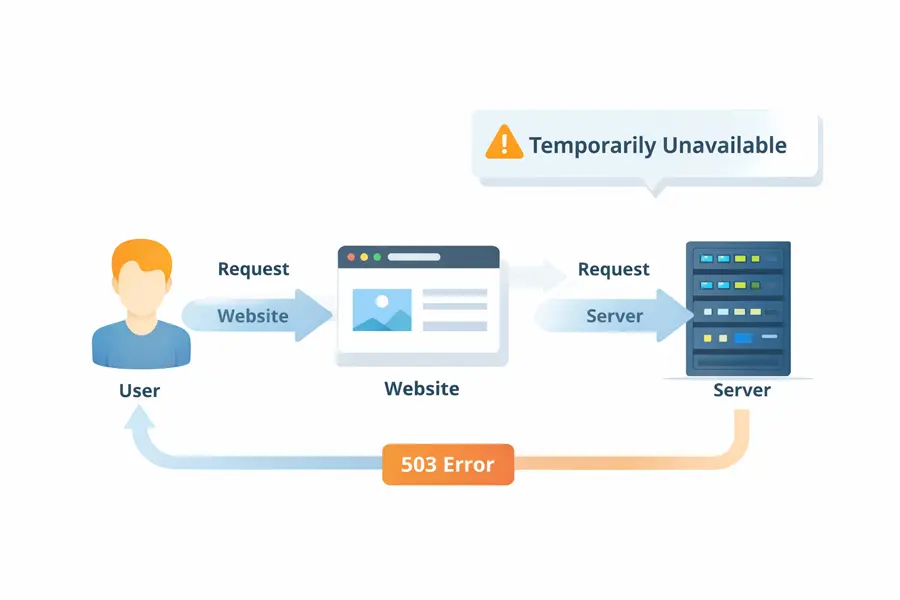
    A 503 error is an HTTP status code that means the server is temporarily unable to handle a request.

    In plain English:
    The website exists, the server is reachable, but it’s currently too busy, misconfigured, or unavailable to respond.

    Unlike a 404 error (page not found) or a 500 error (internal server error), a 503 error is usually temporary. That’s good news — but only if it’s resolved quickly.

    Common variations you might see include:

    • 503 Service Unavailable
    • HTTP Error 503
    • The server is temporarily unable to service your request
    • Service Unavailable – DNS Failure (in some setups)
    What Is A 503 Error

    Most Common Causes of a 503 Error

    A 503 error doesn’t happen randomly. It’s almost always caused by one of the following issues.

    Server Overload

    This is the most common cause. If your website suddenly receives more traffic than your server can handle — whether from a viral post, a marketing campaign, or even a malicious attack — the server may start rejecting requests.

    Shared hosting environments are especially vulnerable to this.

    Maintenance or Updates

    Servers taken offline for updates, software upgrades, or maintenance tasks may intentionally return a 503 error to signal temporary downtime. This is normal — but it should be controlled and brief.

    Understand What A 503 Error Is

    Misconfigured Server Software

    Incorrect configurations in:

    • Apache or Nginx
    • PHP-FPM
    • Load balancers
    • Firewall rules

    can prevent the server from properly responding to requests, triggering a 503 error.

    Exhausted Server Resources

    If your hosting account hits limits on:

    • CPU usage
    • RAM
    • Concurrent processes

    the server may stop accepting new connections altogether.

    External Service Failures

    Many websites rely on third-party services such as:

    • APIs
    • Payment gateways
    • CDN providers

    If one of these services fails and your website depends on it, the server may return a 503 error instead of loading broken content.

    How to Fix a 503 Error

    The fix depends on what’s causing the error — but here are the most effective steps.

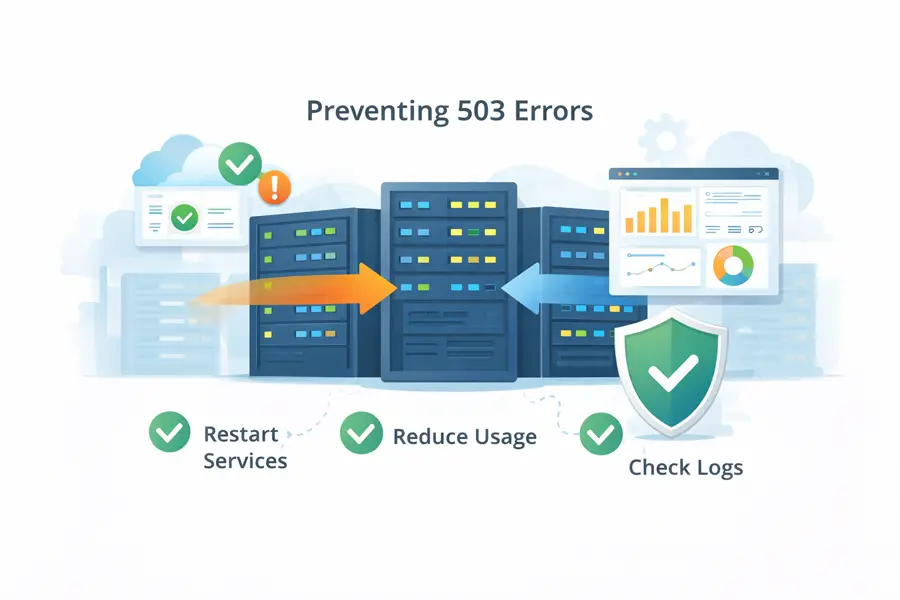
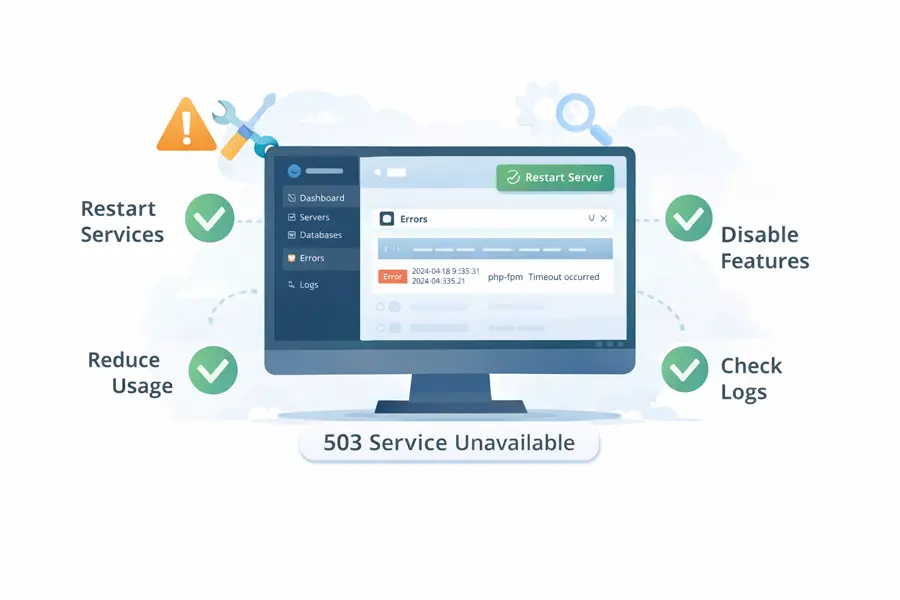
    Check Server Status and Logs

    The first place to look is your server error logs. These logs often reveal whether the issue is caused by overload, timeouts, or crashed services.

    Restart Server Services

    Restarting services like:

    • Web server (Apache / Nginx)
    • PHP-FPM
    • Database services

    can immediately resolve many 503 errors caused by stalled processes.

    Reduce Resource Usage

    If your website is pushing the limits of its hosting environment, consider:

    • Optimizing plugins and scripts
    • Reducing background tasks
    • Implementing caching
    • Offloading assets to a CDN

    Temporarily Disable Heavy Features

    If a new plugin, theme update, or custom script caused the issue, disabling it can quickly restore availability.

    How To Fix A 503 Error

    How Long Should a 503 Error Last?

    Ideally? Only minutes.

    Search engines generally tolerate short-term 503 errors, especially if the server sends proper headers indicating temporary downtime. However, if a 503 error lasts hours or days, it becomes a serious problem — both for SEO and user trust.

    A well-managed hosting environment should detect, isolate, and resolve these issues automatically or with minimal intervention.

    What Causes A 503 Error

    How to Prevent 503 Errors in the Future

    Prevention always beats repair. Long-term stability comes down to infrastructure quality and hosting philosophy.

    Reliable prevention strategies include:

    • Hosting environments with generous resource allocations
    • Proper isolation between accounts
    • Proactive monitoring and alerting
    • Scalable infrastructure that can handle traffic spikes
    • Experienced technical support available when things go wrong

    This is where your choice of hosting provider matters more than any plugin or optimization trick.

    How To Prevent A 503 Error

    Why Hosting Quality Matters More Than You Think

    Many 503 errors aren’t caused by the website itself — they’re caused by cheap, overcrowded hosting environments that collapse under normal usage.

    At Orange Website, our infrastructure is built with stability, privacy, and resilience in mind. We don’t overload servers, we don’t cut corners on resources, and we don’t leave customers guessing when something goes wrong.

    Our hosting solutions are designed to:

    • Handle traffic spikes without crashing
    • Maintain uptime even during high load
    • Provide fast, knowledgeable technical support
    • Protect your website from unnecessary downtime

    When your website stays online, your business stays open.

    Stop 503 Errors Before They Start

    If you’re tired of unexplained downtime, recurring server errors, or hosting environments that fail under pressure, it’s time to upgrade.

    Orange Website offers reliable, privacy-focused hosting built for websites that need to stay online — not apologize for being unavailable.

    👉 Join Orange Website today and host your site on infrastructure designed for stability, performance, and peace of mind.

    Final Thoughts

    A 503 error is a warning sign — not just that something went wrong, but that your infrastructure may not be prepared for real-world demands.

    Understanding what a 503 error is helps.
    Fixing it quickly is essential.
    But preventing it entirely is where smart hosting choices make all the difference.

    DMCA Ignored Hosting

    DMCA Ignored Hosting

    DMCA Ignored Hosting

    What It Is, Why It Matters, and Why So Many Choose Orange Website

    At OrangeWebsite, we serve customers who share a common need: reliable hosting that remains available even when complaints are received. Many clients have come to us after experiencing repeated takedowns, abrupt suspensions, or hosting providers that enforce U.S. copyright laws irrespective of server location.

    This is why DMCA ignored hosting is important.

    In this article, we explain what DMCA ignored hosting really is, why it exists, who it’s for, and why OrangeWebsite has become a long-standing choice for customers who need lawful protection, stability, and jurisdictional clarity.

    What DMCA Ignored Hosting Actually Means

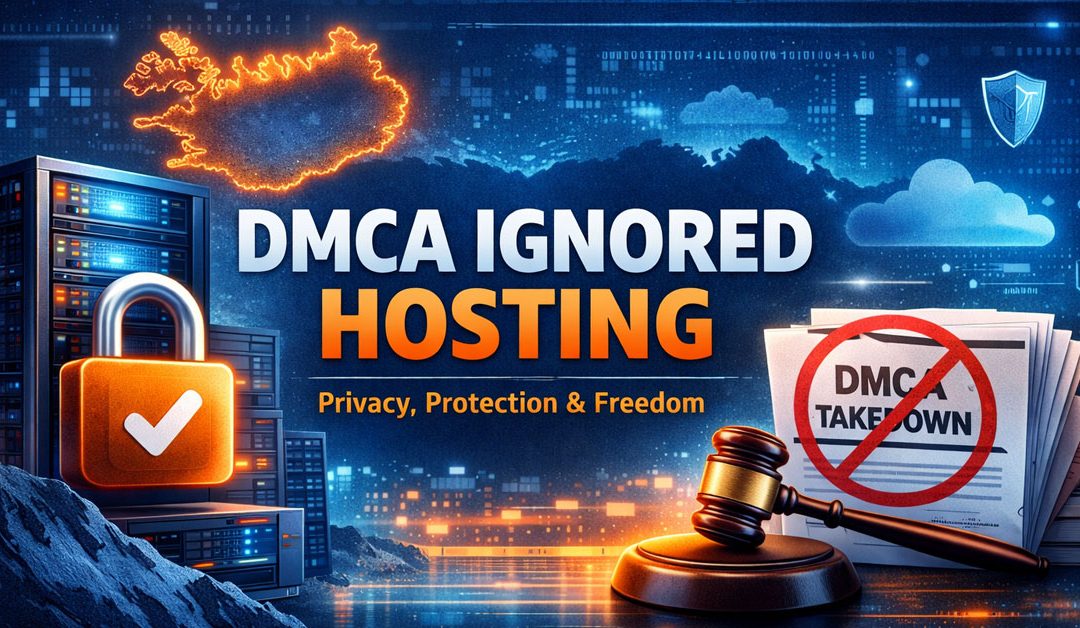
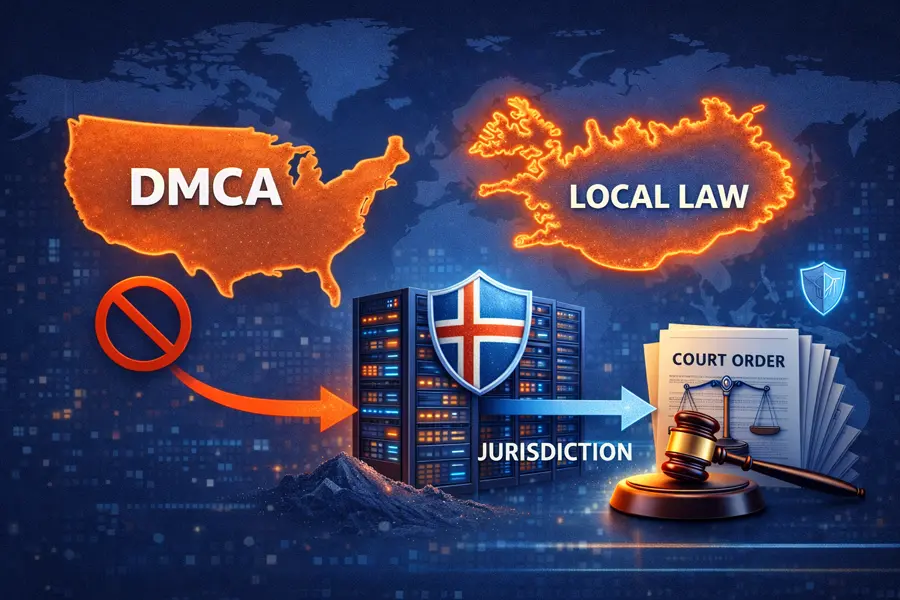
    DMCA ignored hosting refers to web hosting services that operate outside the jurisdiction of the United States and are therefore not legally bound to comply with the U.S. Digital Millennium Copyright Act.

    The DMCA is a U.S. law, yet many global hosting companies still enforce DMCA notices automatically. They do so to avoid disputes, payment processor complications, or legal uncertainty, even when these notices lack legal authority in their server locations.

    At OrangeWebsite, we take a different approach. We operate under Icelandic and applicable European law, not U.S. copyright legislation. This means content is not removed simply because someone sends a DMCA notice. Any complaint must be evaluated under the laws that actually apply to our infrastructure.

    That difference alone is often the deciding factor for our customers.

    DMCA Ignored Hosting and local Iceland Laws

    Why the DMCA System Is So Often Abused

    The DMCA was intended to protect copyright holders, but in practice it is often misused. Automated systems, third-party agencies, and competitors frequently submit takedown requests without proper review. We regularly see customers arrive at OrangeWebsite after experiencing:

    • Websites suspended without warning
    • Entire hosting accounts were disabled due to a single complaint
    • Legitimate content removed despite clear fair-use arguments
    • No opportunity to respond before enforcement

    In many cases, claims are not reviewed by a court. Hosting providers often comply by default. DMCA ignored hosting exists because allegations are not verdicts, and hosting providers should not act as courts.

    The Practical Benefits of DMCA Ignored Hosting

    For most customers, DMCA ignored hosting is about predictability and protection, not controversy.

    The benefits are practical and measurable:

    • Content is not removed automatically based on emails or bots
    • False or malicious copyright claims are filtered out
    • Hosting stability improves dramatically for long-term projects
    • Website owners gain time and legal clarity instead of panic
    • Jurisdictional boundaries are respected

    For businesses, creators, and platforms operating in sensitive or high-complaint environments, these advantages are essential rather than optional.

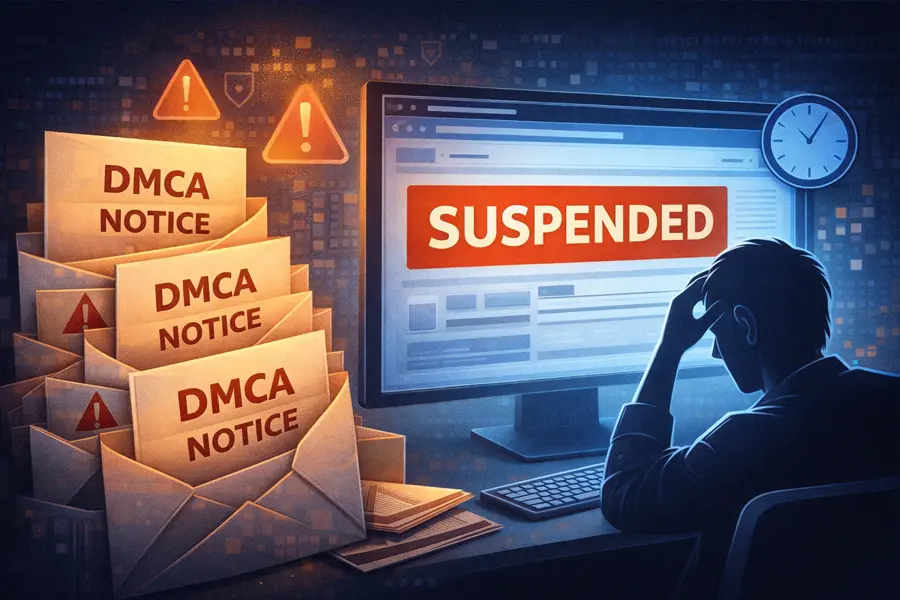
    DMCA Ignored Web Hosting Custom Suspended

    Who Uses DMCA Ignored Hosting?

    A common misconception is that DMCA ignored hosting is only used for questionable content. In reality, many legitimate projects rely on it due to their risk profile, not legality.

    Common examples include platforms that host or distribute:

    • User-generated content
    • Forums and discussion boards
    • Media, journalism, or archival material
    • Educational resources
    • Adult content operating within the law
    • International services serving global audiences

    The common factor is exposure to complaints, not wrongdoing.

    Icelandic Servers Ignore DMCA Demands

    Why DMCA Ignored Hosting Is More Important Than Ever

    Content enforcement is now highly automated. Complaints are filed in bulk, hosting providers respond immediately, and website owners must often recover content that did not violate any law.

    This environment makes traditional hosting unreliable for many online businesses. DMCA ignored hosting restores balance by ensuring enforcement occurs through lawful review rather than automated response.

    Jurisdictions like Iceland are recognized for providing this balance.

    Why Customers Choose US

    OrangeWebsite was established to serve customers who require offshore hosting supported by legal substance, not just marketing claims.

    Our servers are located in Iceland, a country internationally recognized for strong protections of freedom of expression, privacy, and due process. This legal environment is fundamental to our operations.

    We do not automatically enforce DMCA notices, as they have no legal standing in our jurisdiction. Complaints are reviewed under Icelandic and applicable EU law, with human assessment instead of automated suspensions.

    DMCA ignored hosting does not mean low-quality or unstable service. Our infrastructure is built for projects that require reliability, security, and long-term uptime.

    What DMCA Ignored Hosting Is Not

    DMCA ignored hosting is sometimes misunderstood, so it’s worth being clear.

    It does not mean:

    • Hosting illegal content
    • Ignoring court orders
    • Immunity from all laws
    • Operating without accountability

    OrangeWebsite fully complies with Icelandic law and lawful court rulings. What we do not do is enforce foreign legal frameworks that do not apply to our servers.

    Is DMCA Ignored Hosting Right for You?

    If your website has been taken offline due to an automated complaint or a notice without proper review, you understand the value of DMCA ignored hosting.

    It may be the right choice if you:

    • Host user-generated content
    • Operate internationally
    • Face frequent or malicious takedown attempts
    • Need long-term hosting stability
    • Value due process and jurisdictional clarity
    Is DMCA Ignored Hosting Right For You

    Final Thoughts

    DMCA ignored hosting is not about avoiding the law. It is about being governed by the appropriate law.

    At OrangeWebsite, we have built our hosting on jurisdictional integrity, privacy, and fairness, without sacrificing performance or professionalism. For customers who need hosting that remains stable under pressure, DMCA ignored hosting offers a lawful and proven alternative.