7 Ways Your Website May be Screaming “I Am Out of Date!”

7 Ways Your Website May be Screaming “I Am Out of Date!”

7 Signs Your Website is Out of Date

There are two types of website owners. Some understand that a website should be the centre of your online universe. It shouldn't just be attractive but pertinent and informative. It should funnel leads and prospects to you. Your social media and promotional materials should point to it. It should be a vibrant force in your online marketing efforts.

Then, some had their teenage cousin create their website years ago. It likely hasn't been updated since. It is prone to error messages and spam and hasn't produced a lead in months or years. Owners of these websites will complain that internet marketing doesn't work "for them". They probably haven't visited their own website in years and are too embarrassed to have others view it. Here are 7 ways your website may be screaming, "Help me, I am out of date!"

Website Out Of Date

An Out of Date Copyright.

One of the easiest to spot tell-tale ways your website is shouting “Out of date!” is a copyright year that is not current. Back in the day, these types of texts had to be manually updated, but today, there are apps for that. There should be no excuse for an outdated copyright date; if your website has one, please fix it.

It is Not Mobile Capable. 

Pew Research now says that about 80% of Americans own a smartphone. When you look at the 18-34 demographic, that number climbs to over 95%. These smartphone owners use their devices to look up news, information, and reviews and shop for goods and services. Your website should be designed to be responsive to smartphones, with essential information like location and contact data upfront and easy to find. Many smartphone users are “ready to buy” but will move on quickly if their information is hard to find or see. Make sure you view your website on a mobile device and make the necessary changes to make it appealing when seen on a smartphone.

Contains Outdated Information.

A website's content can show it is behind the times in many ways. There could be older dates on news releases or outdated blogs. The content itself may tell readers in more subtle ways. For example, your primary page copy may say "Serving our customers since 2005" but also "In our ten years in business". This can be avoided by using evergreen content on your website, especially if keeping it updated may be a challenge for you.

Website Out Of Date

It has a Look that is so 2000

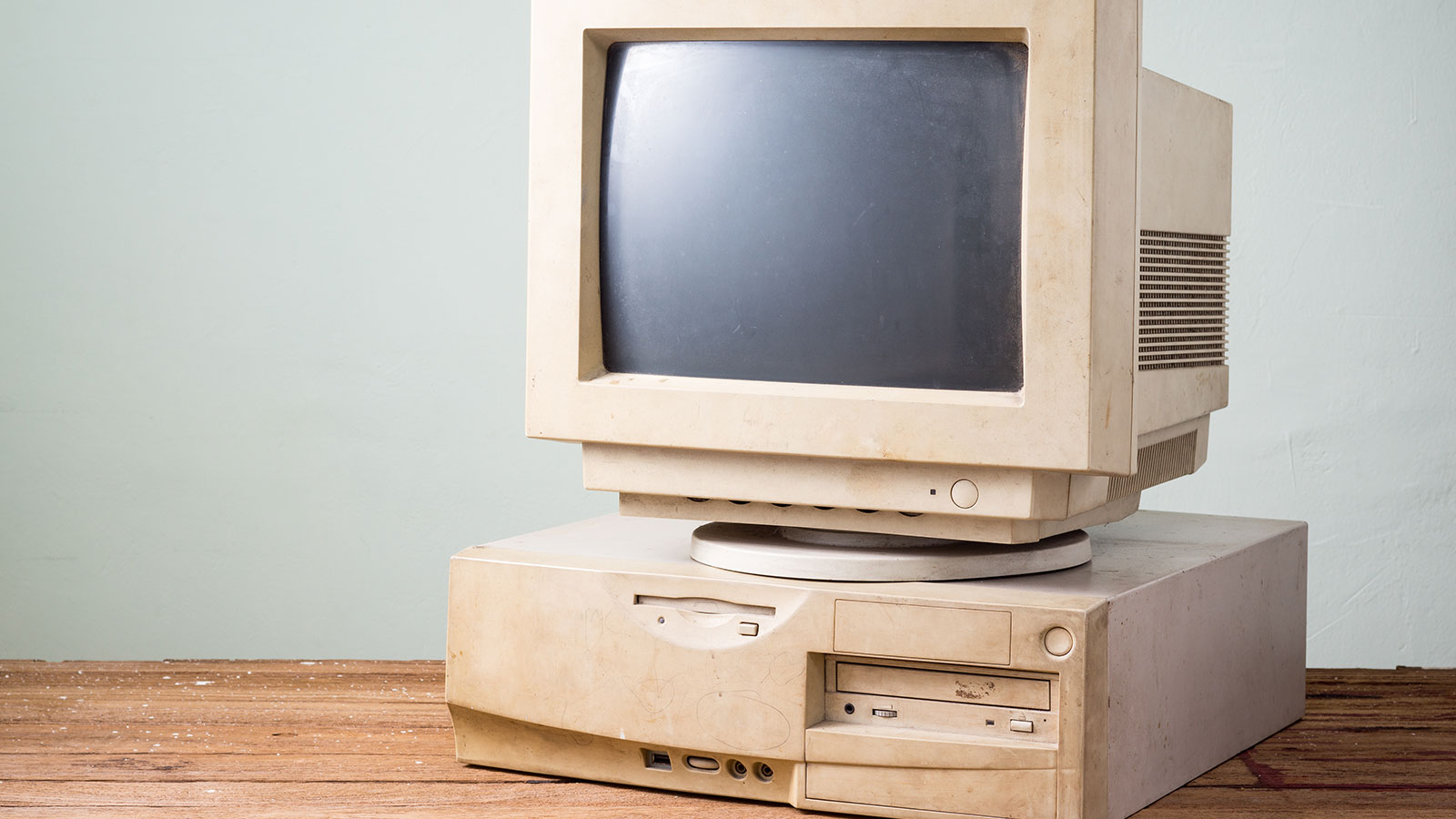
It is hard to imagine that the year 2000 was almost two decades ago. Your website may look like it. It may be boxy, slow loading, and use giant navigation buttons. You know it when you see it. If your website looks vintage 2000, your potential customers will move on.

It Doesn't Link Your Social Media Accounts.

Modern, well-designed websites should make connecting with your organisation as simple as possible. This includes logos and links to your various social media sites like Facebook, X (Twitter), LinkedIn, Instagram, Pinterest, Snapchat, and more. Websites that don't include their social media links can appear out-of-touch. You're also not taking full advantage of the valuable synergy your social media and website can build.

Uses Flash or Java

Patience has grown increasingly thin when waiting for websites to load. Outdated software like Java and Flash can drag your website down. If you will use video, consider using an off-site service like YouTube. Ensure popular web browsers like Google Chrome support all software used on your website.

 Not Using an Eco Web Hosting Company.

One of the ways you can demonstrate you are connected to what's important today is by choosing an eco-web hosting service that offers environmentally friendly features. How will your users know you use a "green" web hosting company? At OrangeWebsite, we offer all of our clients access to free banners that can be easily installed on their website pages. These banners tell visitors they are working with an organization that cares about the planet. It is not only the right thing to do. It is a terrific way to attract like-minded prospects and customers.

What Makes OrangeWebsite Eco-Friendly?

The story of OrangeWebsite.com starts with our location in Iceland. Ours is a country that gets just about 100% of its electric energy from renewable resources like hydroelectric and geothermal. Because our data centre is in a cool climate, we can use much less energy to condition the air for our servers. We even offer employees the ability to work remotely from home, using less fuel for work travel and keeping more cars off the road. This form of web hosting has been referred to as organic because it is better for our planet.

If your website needs an overhaul, maybe it is time to start with an eco-friendly hosting company that offers hosting plans to fit any organization's size. Iceland has a superior technological infrastructure with quick load times to North America and Europe. We have clients in over 100 countries across the globe. We offer anonymous web hosting with a 99.9% uptime guarantee, and payments can be made by Bitcoin, PayPal, cash by mail or wire transfer. We are an ultra-secure hosting company that minimizes the data we keep on our clients. We even provide a 30-day, money back guarantee to ensure your satisfaction.

Is your website screaming for help? You should start with a fresh new design and include valuable content. Of course, you'll want it to be mobile-capable and easy to maintain. You should also consider starting with green hosting from OrangeWebsite. Contact us today to learn more!
Covid-19 Lockdown: Use Your Time Wisely and Learn New Skills Online

Covid-19 Lockdown: Use Your Time Wisely and Learn New Skills Online

The new coronavirus (otherwise known as COVID-19) is now a global emergency, and it has been declared by WHO a pandemic. Due to the virus spreading all over the world, life as we know it is seriously impeded. Our daily activities have been jolted. Governments have set aside trillions of dollars to deal with the crisis. Economies are struggling, increasing job losses; small and large industries scaling back or shutting down (Read here it COVID-19 is affecting us). Many of us are now staying at home scared because of the disease. Others don’t seem to care and walk around spreading the virus. The last serious pandemic, Spanish Flu, happened around 100 years ago (1918-1919) and it killed as many as…

...Stop it now! Enough with all that negativity. There are only a few incidents so bad that one could not turn it into something positive. With all that said now is the perfect opportunity to expand your knowledge and gain new skills during this quarantine period.

Release Your Inner Creativity or Get a New Hobby

Starting a blog to expressing your views or writing about a topic you feel passionate about is a great idea. You can write stories of your lifelong experiences or talk about present events in your life. You can blog about something you are an expert at, or you can start your own sports, fashion or DIY blog.

There are numerous ways we can learn about what may interest us and grow into new endeavors, while getting our minds off stressful situations. If you are artistic, why not try Photoshop and learn the art by creating cards or editing your photos of yourself, friends and family? Use this time to let loose your inner creativity. Connect via Facebook, post your pics on your blog or Instagram, make videos on Youtube. Learning and adapting to different situations is the new normal and will help you in the long run. If you already have a blog, here is a great article about how to monetize your blog and start earning passive income from it.

Network & Start Planning a New Project or Business

Use LinkedIn to create a profile to link with people with similar mindset. Setup a think-tank and start working on that great idea you once had, but never had the time to get to it. The crisis won’t last long and if you spend your time wisely, you will have a great startup plan ready when things are getting better.

Ready to go online or build a website?

According to Statista as of April 13th, 2020, there are 4.54 billion active internet users globally. Making your own website is easier than you think. Not a tech savvy person - why not trying a website builder? A website builder is a software or tool that allows you to create personal, business, and eCommerce websites without needing coding or designing skills.

Site builders such as Sitepad makes it easy for bloggers, freelancers, hobbyists or business owners to build a website. With over 380 responsive themes, the site builder cover categories such as blogging, business, portfolio website, travel, food and more. You can include in widgets such as image/view slide, image galleries, rich text, Google maps, contact forms, social media and much more.

If you are more experienced and want more freedom with designing your own page you can take advantage of our one-click script installer tool Soltaculous. Which is an exceptional Auto installer having 453 excellent scripts and more are still being added all the time. Choose the CMS or platform you prefer and get to it. There are numerous free guides online to walk you through solutions that you need.

The best thing about Softaculous is that complex operations, such as backing up your database or all the Website's information can be performed with just one click. So can scrips installation or upgrading the system. Softaculous saves you the inconvenience of importing scripts for backing up your website manually.

All these features and tools are available and included in all our web hosting plans. During the COVID-19 outbreak we want to offer our new clients an easy and inexpensive way to get their website project started. For this reason, we have a special campaign which allows you to sign up with our Gold Hosting plan for only less than $1.00 for the first month. You may cancel the service when ever you want to. Give it a try and click the link before to discover your inner creativeness or start building the project you always dreamed about.

Take the first step to get your ideas online for less than a dollar!

Web Hosting for Dummies: What is a 304 Error

Web Hosting for Dummies: What is a 304 Error

What is a 304 Error

What is a 304 Error? - Odds are, you use of one of the “Big Five” website browsers when surfing the internet. These five (in order of popularity) include:

  1. Google Chrome
  2. Safari
  3. UC
  4. Firefox
  5. Opera

No matter what browser you favor, you are likely to encounter error messages occasionally.  If you have ever wondered what these error messages mean or if they should concern you, check out our recent article explaining a 503 error. Our series explaining some of these errors continue with this blog about 304 errors.

A Brief Explanation of Error Codes in General

Error codes or response codes are designed to let the host (server) and the client (user) know there is an issue and help them troubleshoot that error. Error codes begin with 100 series codes and end with 500 series codes. Each of these hundred code series designations addresses certain types of problems that are occurring and affecting connectivity.

What Do 300 Series Codes Indicate?

In the case of 3xx series codes, these indicate that the client would generally need to take more steps to complete the request. Many codes in this series, however, are used for redirection of the URL to another web address. In this instance, a user's browser may carry out this additional step without any more user interaction.

What Specifically Does the 304 Code Mean?

A 304 error will generally be returned with verbiage similar to the following:

"The remote server returned an error: (304) Not Modified."

It really is more of a message than an error. It is telling you that the page being visited has not been modified, or changed, since the last time it was visited. Therefore, it should redirect you to the page previously saved in your cache. This is exactly what the cache on your device does. It saves frequently visited pages so they will load faster when maneuvering throughout the internet.

For those browsing the internet, the 304 Not Modified message can be frustrating but there isn't much you can do. For users, it can be largely disregarded. It is more of an indication that something has gone wrong on the server side of things. It can be a significant problem for those hosting websites.

Diagnosing 304 Errors on the Server Side

If you feel your application is issuing 304 codes when it shouldn't be, it could be a problem that needs to be diagnosed and addressed. A significant amount of visitors may be getting this code affecting the effectiveness of your application. There are several tips you can use to diagnose the problem.

Check the configuration files. It is possible your server software is sending unintentional redirect 304 codes.

Check server side logs. These logs keep a history of server activity like what servers connected to it, what pages were requested and other details. You can often see the status of your server's performance by reviewing these server side logs.

Check any custom coding within your application. You may ultimately find yourself having to manually debug your application.

Of course, with any error code, there is a wealth of information available with an internet search. If none of the above provides relief from the errors, you can often find answers through a search.

Keeping Your Server Running Error Free

Error monitoring software may be available for your server that will notify you immediately about errors being issued so you can best respond. Today, users expect a more error-free experience on the internet and that includes uptime. That is why selecting a web hosting company that guarantees uptime is so important.

At OrangeWebsite.com, we have a 99.9% uptime guarantee. This guarantee is backed with a superior technical team that is available 24/7 to provide assistance when you need it. But, there are a variety of other valuable reasons you should select OrangeWebsite.com as your web hosting provider.

  • Choose from a hosting plan right for you. Plans range from hosting small websites to dedicated servers. You choose the package and price to suit your needs and budget.
  • Sign up and pay anonymously. We accept Bitcoin, wire transfer, and cash by mail. You can also pay via Paypal. The choice is yours.
  • Host in Iceland. Iceland is an Internet-friendly country with modern freedom of speech legislation in place.
  • There is no risk. OrangeWebsite.com offers a 30-day money back guarantee.

You can also take pride in knowing that we are an Eco Web Hosting solution provider. Iceland derives almost 100% of its energy from renewable sources like geothermal and hydropower. Our cooler Icelandic temperatures allow for us to minimize the use of air conditioning, making us more energy efficient. Much of our staff work from home, using less fuel for transportation and keeping roadways clearer. At OrangeWebsite.com, we serve companies in over 100 countries, making better use of our servers throughout multiple time zones. Our location is perfect for those in or trying to reach visitors in European and North American markets.

In addition, to be the right thing to do, organic hosting is a good marketing tool for our clients. To help them take advantage of the trend to eco web hosting, we offer use of a variety, easy to install, "Green Seals" for placement on customer websites. These easy to install seals demonstrate the commitment to environmentally-friendly hosting and can be a good way to attract like-minded visitors to hosted websites.

We are also proud to be involved in "green" initiatives to help prevent and even reverse negative environmental impacts on our planet. We invite you to join us in our efforts.

Keep your visitors happy with responsive 24/7 technical support, a 99.9% uptime guarantee, and eco web hosting solutions. Learn more about OrangeWebsite.com today.

The Serious Business of Guarding the Images Used on Your Website

The Serious Business of Guarding the Images Used on Your Website

How To Protect Your Images

How To Protect Your Images

For those of us who have lived through the early, “Wild West” days of the internet, we can recall the frequent lawlessness of the experience. It was not uncommon at all to come across “sharing” websites for the distribution of music, images, films, software, and other intellectual property without authorization of the rightful owners. This was, and continues to be, theft, pure and simple. It didn't take long for lawyers to get involved. Courts quickly agreed that online intellectual theft is no different from stealing someone's car. Companies from software producers to movie production houses began pursuing those they suspected were guilty of it.

While such dark places are still available online, more and more companies and individuals are taking steps to protect themselves. This includes those involved in the construction of websites. After all, if you've taken the time to make sure a website was designed and constructed using completely legal and authorized images, or more importantly, if you created the images or took the photography yourself, you don't want someone else coming along and taking them. It's not quite the “Wild West” it once was but it is still a significant problem and serious business. There are ways, however, of protecting yourself and your images.

Where to Start?

You can start by seeing if you have a problem with stolen images. This can simply be accomplished by typing the name of any images you use into the Google image search. Some who “borrow” images or graphics, however, know they can lessen their chances of being caught by changing the name of the image file. The Google image search may not turn up your photo or image. You can search for more generic names that may fit your image if you are inclined to investigate further.

In a Google image search, seeing the image as used on your site should be expected but if it is an original image you created or a photo you have taken and someone else is using it without your knowledge, it can be a problem. This is likely because you did not take the necessary steps to protect it.

Now, you may say to yourself “Hey, but isn't that like blaming me for not locking my house and allowing someone to steal my property?” Perhaps. But let's also just add that it is always better to make sure your house is locked, to begin with. In this case, let's make sure your images are as safe as possible.

Better Protecting Your Images

You can take steps to protect your images, but just as locking the door on your house won't prevent someone from entering your home, most steps just make it tougher for an image theft to occur. Here are some of the more common steps you can take in protecting your images online.

  • Disable the right-click copy option. One of the first skills we learn on a computer is that by right-clicking, we are given the option to “copy”. It didn't take long for us to learn it works on website images as well if they are unprotected. WordPress has an easy to download and use plug-in that will accomplish this for you. The plug-in also has some other clever protective services.
  • Disable hotlinkingHotlinking is the nasty little practice of someone using both the benefits of your image and your bandwidth to share that image. For the most part, it is considered illegal but, of course, that doesn't stop some from engaging in the practice. While disabling hotlinking may not totally prevent someone from using an image, at least it will prevent the indignity of having them use your bandwidth to do it. To disable hot linking in WordPress, use an FTP program and go to the main directory folder and open the .htaccess file. Cut and paste the following code into the .htaccess file:

/* hotlink blocking */
RewriteEngine on
RewriteCond %{HTTP_REFERER} !^$
RewriteCond %{HTTP REFERER} !^http(s)?://(www\.)?yourwebsite.com [NC]
RewriteCond %{HTTP REFERER} !^http(s)?://(www\.)?google.com [NC]
RewriteRule \.(jpg|jpeg|png|gif)$ - [F]

Of course, replace “yourwebsite.com” in the 4th line of the coding with the name of your website. This will prevent someone from hotlinking to your image while the 5th line still makes your image available to Google for search purposes.

 Use a watermark. Watermarks on an image have been protecting photographs since long before the internet. A Watermark is a discrete but visible marking over the image that usually bears the name of the owner. Most photographers use them on proofs before clients purchase the non-watermarked prints. They are still an effective way to protect your images but can be distracting to your own viewers. Those skilled at photoshopping have also been known to be able to cover watermarks.

Place a DMCA badge on your website. DMCA is dedicated to stopping thieves from stealing content from websites. While they have a suite of products, you can get started by placing a DMCA badge on your page that will deter theft. With a registered badge, you have the resources behind you to take down any content that is used without your approval.

Place a copyright notice on your website or on images. You automatically have the right to any content created for your website. By placing a copyright notice on your website you are letting others know that you know this. You should also keep proof that you created the content. While this can sometimes be difficult to prove or enforce, it is another form of locking the doors on your house. It is very easy to do, so do it.

While sharing images without the permission of the owner can be problematic, sharing solid, helpful information about making your website secure can be very helpful. If you have found this article useful or if you know someone who might find it interesting then, please feel free to share it.

Choosing a Web Hosting Company

Choosing a Web Hosting Company

Choosing a Web Hosting Company

Choosing a Web Hosting Company - A lot of things in life are invisible. We can not see ethics or morals. We can not touch a wireless internet connection. We can not view the mechanics of a smartphone capturing an image. But this fact does not lessen the importance of any of these ideas or activities. The unseen aspects are essential in allowing individuals to enjoy the end product. The same is true for web hosting. It is a process that very few individuals surfing the World Wide Web think about. They do not consider where the images, text, videos, and more are stored and accessed from. But this does not make the web host any less important. Without it, or with a bad web host, people would struggle to view websites and organizations would struggle to share their information with the world. And it is for this reason that understanding and avoiding mistakes when it comes to choosing a web host is crucial for any organization:

1. Test Customer Service

Companies make a lot of promises. They ensure 24 hour customer service. They pledge to get back to customers with immediate responses. But this is sometimes a very empty promise. As soon as a customer is signed up and they need help, they will end up on hold for hours at a time. They may not hear back from a company for days on end. When you are running a business and something goes wrong with your website, this is not acceptable. Your clients and customers need to be able to reach you, buy from you, and find out more about you. If they can not, you will very likely lose them to a competitor.

A good rule of thumb is to contact the web hosting provider in every method that they allow for. This may only be one or it could be five. If they have a live chat option, test it out. If they have a phone number, call in and see how long it takes to talk to a real person. If they have an email, time them on how quickly they respond. Their expediency matters. If they fail to impress you with fast responses before you are even a customer, imagine what happens once they have your money.

2. Explore Your Limitations

As stated in the last section, web host providers can make a lot of promises at first glance. Their goal is to attract to customers with great deals. But you need to be wary. Many providers will offer special promotions and deals that are excellent value for money. However, to make sure that you are getting one of these deals and not wasting your time and money, look a little deeper into what the web host offers. Ask if ‘unlimited’ really means ‘unlimited’. Ask if shopping cart will work on your website, if you can use Secure Shell (SSH), if you can maintain multiple POP accounts, and more. Find out what your website and customers need and then see if the web host provider offers that and what the true cost will be over the long-term.

Choosing a Web Hosting Company

3. Get A Refund Guarantee

Choosing a web hosting provider is a big decision. For many businesses, especially small ones and entrepreneurs, they may not know exactly what they are looking for. They were just told that the next step is signing up with a web hosting provider. So they choose one.

Unfortunately, sometimes businesses learn that they need a specific privilege that either the package they chose or the host that they went with does not allow for. Alternately, maybe the business grows so fast that they need a host that can accommodate the unforeseen additional needs. Whatever the reason, if there is no refund guarantee money must be thrown out the window. It is always safer to partner with a web host that wants you to be happy and is willing to give you your money back if you are unhappy or unsatisfied in any way. This type of policy also makes it much easier to switch to another package that that same host provides.

Before making any permanent decisions, it is always a good idea to look through the return policy and see the terms and conditions. Make sure that the policy provides enough time for you to really check if the host is for you. Decide whether a pro-rated refund is enough or if a full refund is really what you need. If you know all of these details and you are comfortable with them, you will not be unpleasantly surprised if you do need to switch packages or to another provider. It also proves to you just how much the company cares about your satisfaction.

4. Understand The SEO Implications

Not all web host providers are created equally. And the packages that these providers offer are also not created equally. You need to be careful when picking the one for you, especially when it comes to just relying on guaranteed uptime. Uptime is far from the only concern. If a host is unreliable it can do significant damage to a website’s ranking on search engines, not to mention how customers view the company. Even if a business has the best SEO team in the world, a host that has slow site speed, poor quality shared hosting, and database connection errors will undoubtedly de-index your website from Google—and repairing this type of damage can be nearly impossible.

When you are choosing a web host company for your website, make sure you understand the basic ins and outs. Look into the host, read customer reviews, and speak with customer service. One company that seems to be passing all of the quality tests is OrangeWebsite. To see if OrangeWebsite is the right web host for you, please contact us.

Web Hosting Talk: Most Common Web Hosting Problems

Web Hosting Talk: Most Common Web Hosting Problems

Web Hosting Talk on the Most Common Web Hosting Problems

There are so many web hosting companies to choose from that many people find it confusing to choose one. Even once you've signed up with one, how do you know you've made the right choice? One of the interesting things about web hosting is that the better it is, the less you think of it. Ideally, your website is running so smoothly that you seldom give much thought to your web hosting company. It's sort of like the electricity or plumbing in your house. You only notice it when something's wrong. With this in mind, let's have a little web hosting talk about some of the typical problems that individuals and businesses have with their hosts. These are all signs that it's time to rethink your web hosting choice.

Slow or Unreliable Service

You depend on your web host to keep your website online. You also want to work with a company with fast and reliable servers so that your visitors and customers can load pages quickly. Nowadays, people have very little patience for slow-loading pages. Delays of even a few seconds mean losing visitors. That's why you need web hosting that's fast and reliable, with high uptime. Before you blame your web host for slow-loading pages, however, remember many factors affect page loading speed. For example, if you have images that aren't optimized or lots of videos on your site, this can cause slowdowns. If you use WordPress, too many plugins could be the culprit. However, if you find that you've done everything possible to optimize your site and it's still slow, your host may be the problem. If you're shopping for a web host, try to identify some of their customers and test their websites for speed.

Unreliable Support

No matter what kind of website you have, it's likely that you're going to need support at some point. Whether it's to ask a question about a certain feature or report a problem, it's important that you can reach someone promptly and get your issue resolved. If you have a business, it's even more crucial. Website problems can quickly translate into losing sales and customers. Unfortunately, not all web hosting provides reliable support. One feature to look for is that you can reach someone 24/7, not only during normal business hours. You don't want to get stuck if a serious issue occurs on a weekend or late at night. Of course, support is more than someone answering the phone. You want to reach a knowledgeable and helpful person, not get stuck on hold or talking to someone who can't solve your problem. Reading customer reviews of web hosts is a good way to gauge how strong a company is in this department.

Insufficient Security

With issues such as hacking and identity theft in the news, security is another essential element you want in a web host. If your site has already been hacked, this is a sign that your web host isn't providing the level of security you want. Of course, you should also realize that security is also about the type of plan you choose. No matter who your web host is, a shared hosting plan is always your least secure option. If you have a growing business, you should seriously consider upgrading to VPS or dedicated hosting. However, even with shared hosting, there are different levels of security. Look for a web host with a secure data center (or multiple ones). Another important security feature is For example, your web host should offer security services such as two-factor authentication, which makes it harder for unauthorized parties to log in and access your site. Web hosts should also offer backup services to ensure you don't lose your data.

Lack of Flexibility and Scalability

A website is not something static; you want it to grow and evolve along with your needs. As your business grows, your needs expand. A good web host makes it easy to scale your business. As mentioned, you may want to upgrade from shared hosting to VPS or dedicated. Beyond this, however, you want a web host that offers a great deal of flexibility. For example, if you do have VPS (Virtual Private Server) or dedicated hosting, does your host allow for unlimited data transfers? You also don't want to overpay for hosting. A flexible host offers many plans so you're only paying for the data you actually use. That way you can upgrade (or downgrade) your service based on your needs. Make sure that your web host is flexible enough to let your website grow.

You Don't Have All the Features You Need

You shouldn't have to compromise on the features or level of service you offer customers because your web host limits your capabilities. Does your web hosting company let you install PHP scripts, b2evolution, Joomla, WordPress, e-commerce platforms, or other features you need? Does it offer Windows as well as Linux hosting? While Linux hosting is the most common, some businesses use software that requires Windows hosting. The features you need depend on your own particular needs. When comparing web hosts, it's wise to look ahead and consider the services you're likely to want in the future.

Poor Value

When it comes to web hosting talk, you can't ignore cost. At the same time, don't be tempted to sign up with a web host simply because it's cheap. Low price doesn't always translate into good value. On the other hand, you don't want to pay more than you have to for reliable hosting. When looking at plans and prices, make sure you read the fine print. Many web hosts offer cheap introductory prices but keep in mind you'll have to pay the full price when you renew. Some reasonable plans force you to sign up for long periods such as two or three years. Carefully consider the cost along with all of the features and services the company offers to figure out whether you're getting solid value.

These are some of the major factors to consider when assessing your web hosting or when shopping for a web host. Web hosting talk covers many issues, so it's important to make sure that you carefully consider your own needs. If you're looking for reliable, secure and affordable web hosting, contact us.